
Install and connect
- Install BikeDist from the Shopify App Store. Shopify asks you to approve the permissions the app needs to create products.
- Add your GLN so BikeDist can open the DST catalogues your suppliers share with you. No GLN yet? Request one from the app; see the GLN guide.
- Search the catalogue, select a model with all its sizes and colours, and export.
If you install through the App Store, Shopify bills the plan on your Shopify invoice. Growth connects up to three stores and Pro unlimited stores, each with its own prices.
Sizes and colours as variants
DST has one row per size and colour. BikeDist groups them by model and, by default, exports one Shopify product with options such as Size and Colour and a variant for each row. Each variant gets its own SKU, EAN barcode, price, stock and image. A typical bike range, a handful of sizes in a few colours, fits comfortably on one page.
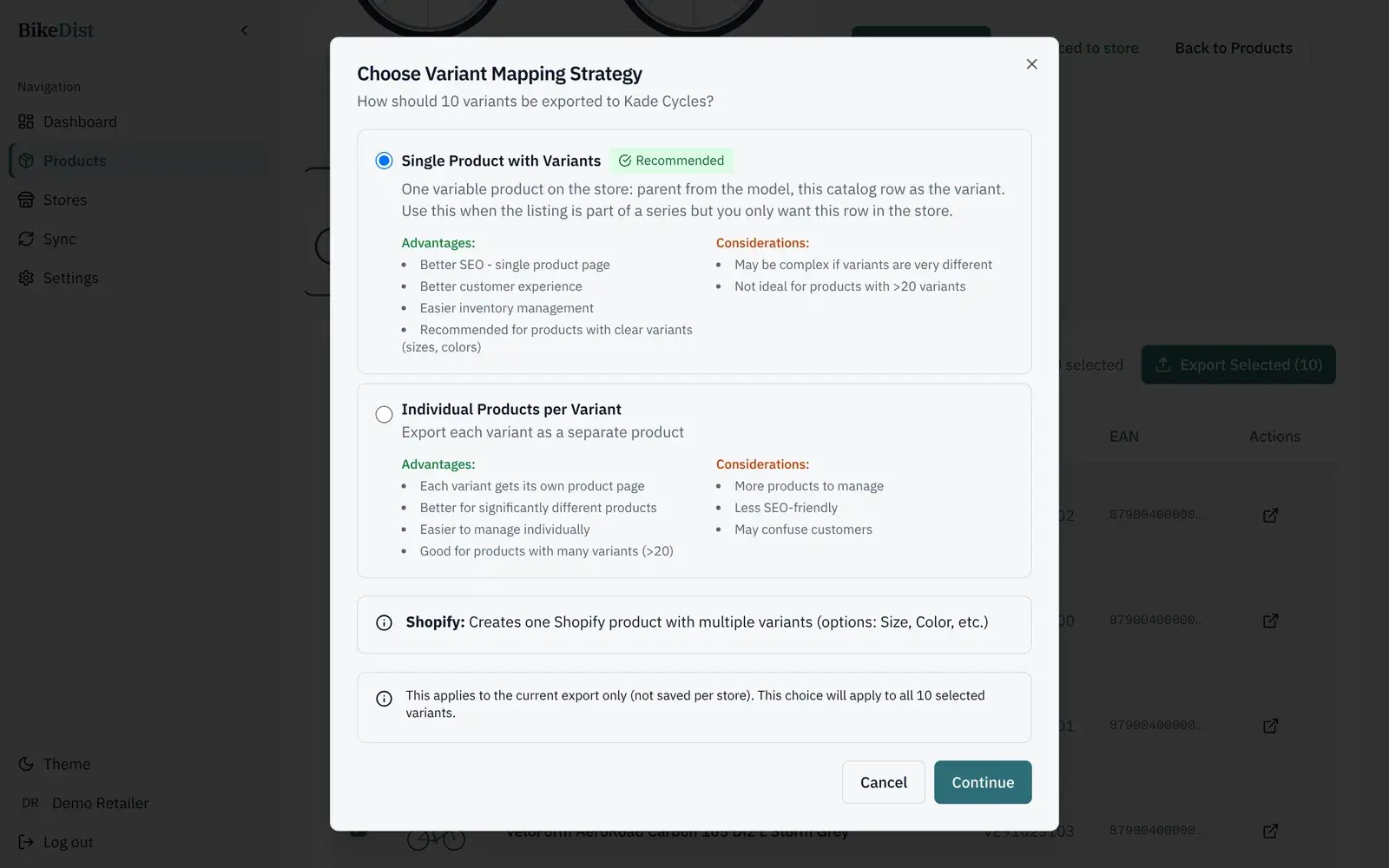
Prefer a separate page per size or colour? Pick "one product per variant" for that export. The trade-offs, including the SEO effect, are in bike sizes and colours as Shopify variants.
What lands in each Shopify field
- Title and descriptionfrom the supplier's DST record.
- Vendor is the brand; product type is the category. Tags carry brand, category and subcategory, plus
bikedist-syncedso you can filter BikeDist products in your admin. - Images are added to the product and matched to the right variant.
- Stock is a tracked inventory quantity, and Shopify stops selling at zero.
BikeDist does not write metafields today. If you want structured specs such as geometry on the page, store them in a metafield and render them from your theme; the geometry table guide has the Liquid.
Pricing rules
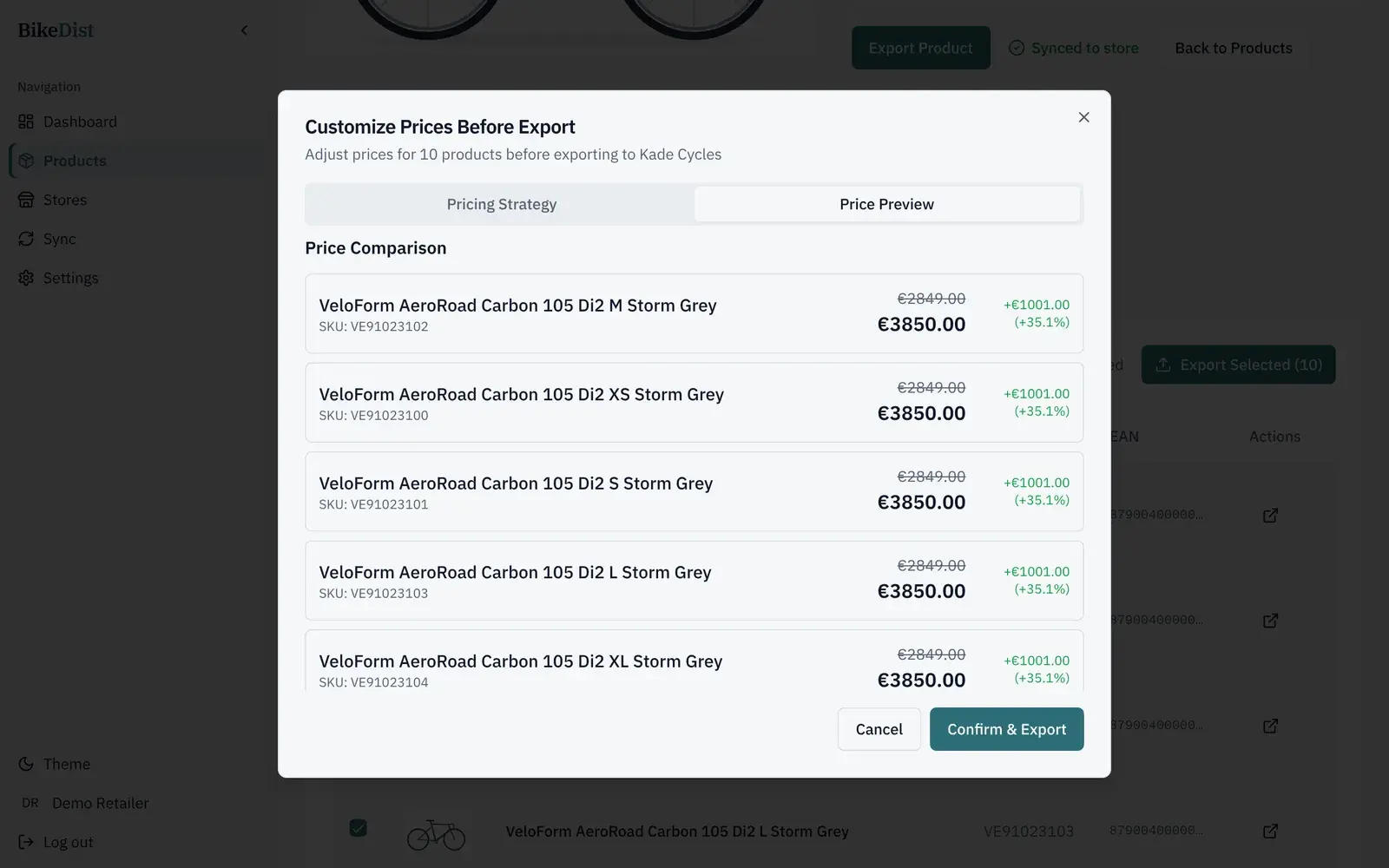
Every export starts from the price in DST. You add a percentage markup (each store can have its own default), choose rounding to the nearest €5, €10 or €100, or type prices by hand. A preview shows the old and new price of every variant before you confirm.
Keeping products up to date
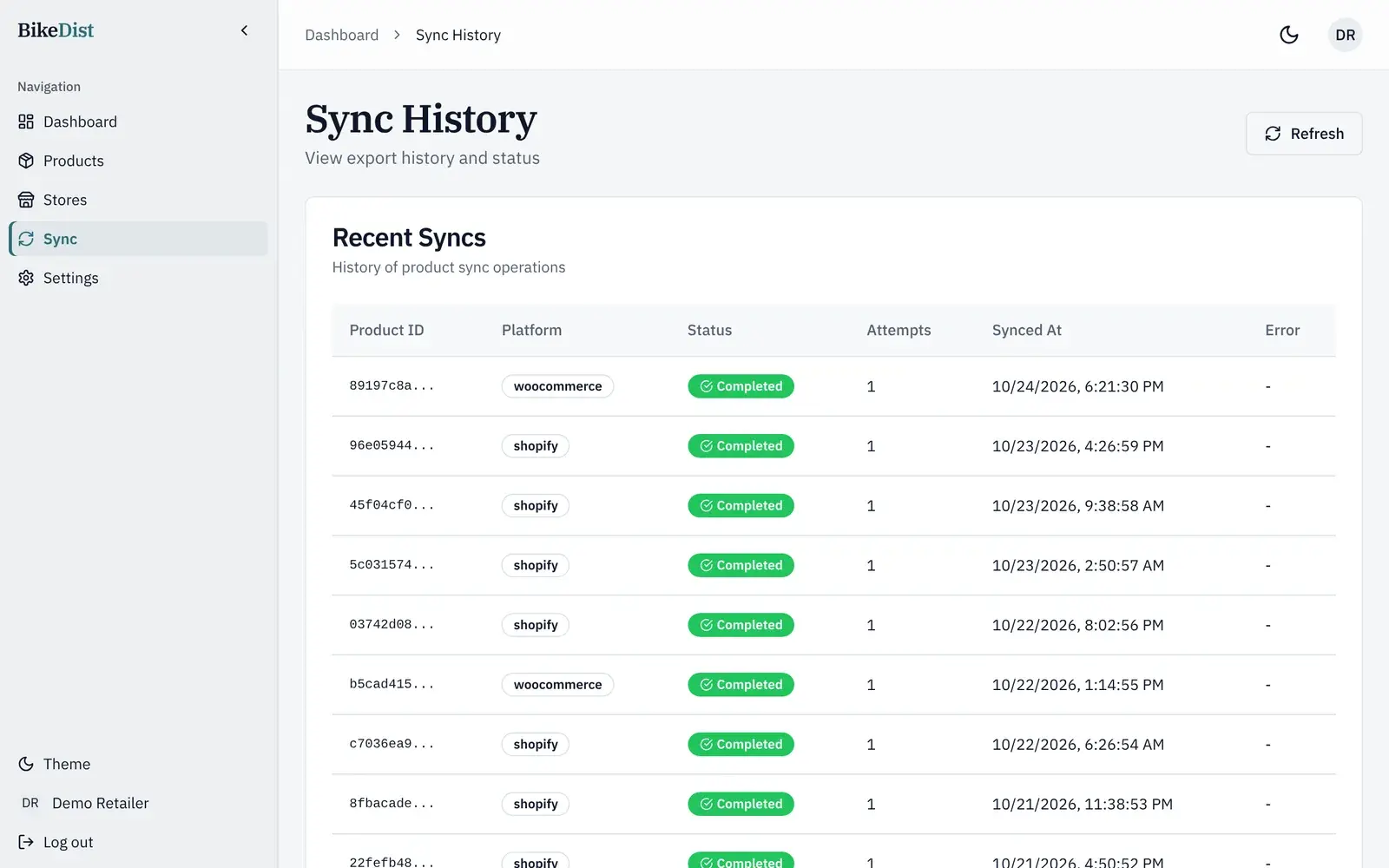
BikeDist refreshes the DST catalogue every day. Your store changes only when you export: exporting a product again updates the Shopify product it created earlier, with current DST data and your price rules, instead of making a duplicate. Sync history shows every export, its status and the time it went live.
Related
- Bike sizes and colours as Shopify variants: two waysOne product with size and colour variants, or one product per variant? How each works in Shopify and WooCommerce, the SEO effect, and which to pick.
- How to get a GLN and DST access as a bike dealerWhat a GLN is, how bike dealers get a free DST account, where the GLN comes from, and how to connect it to BikeDist. Steps, timing and common problems.
- Shopify vs WooCommerce for bike shops in 2026Cost, variants, supplier data, leasing and POS: how Shopify and WooCommerce compare for an independent bike shop, with current 2026 prices.
- Add a bike geometry table to Shopify and WooCommerceStore frame geometry in a Shopify JSON metafield or a WooCommerce product field and render a mobile-friendly table. Liquid and PHP included.